How to Connect Your Amazon Store
Last updated: June 2, 2026
- Log into www.shipsfor.us and click Stores on the left navigation menu.
- Locate the Add Store dropdown and Select Amazon.
- Complete the form and click Connect My Amazon Store.
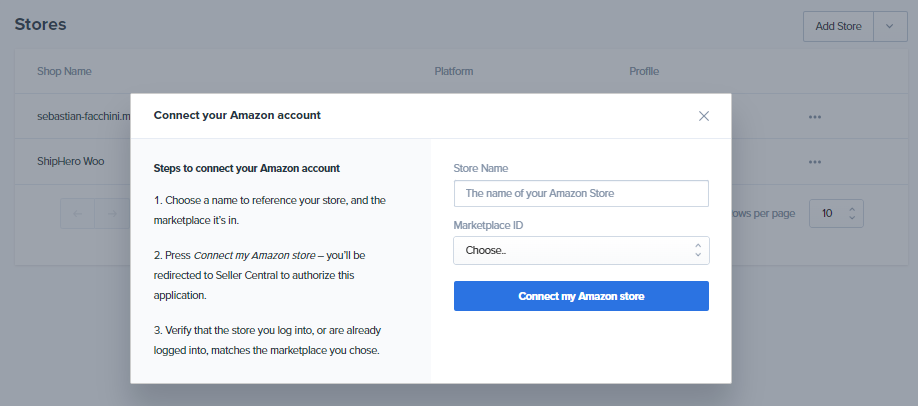
- You must authorize the Portal for the new API on the Amazon page. You will be redirected back to the Portal afterward.
- Amazon may send you an email to confirm our access. If so, please follow the instructions in the email to complete the process.
- Review your Handling Time in Amazon to prevent late orders.
NOTE: If you don't get redirected to Amazon upon clicking the button, you will need to reconnect your store after the migration has been rolled out to your account.