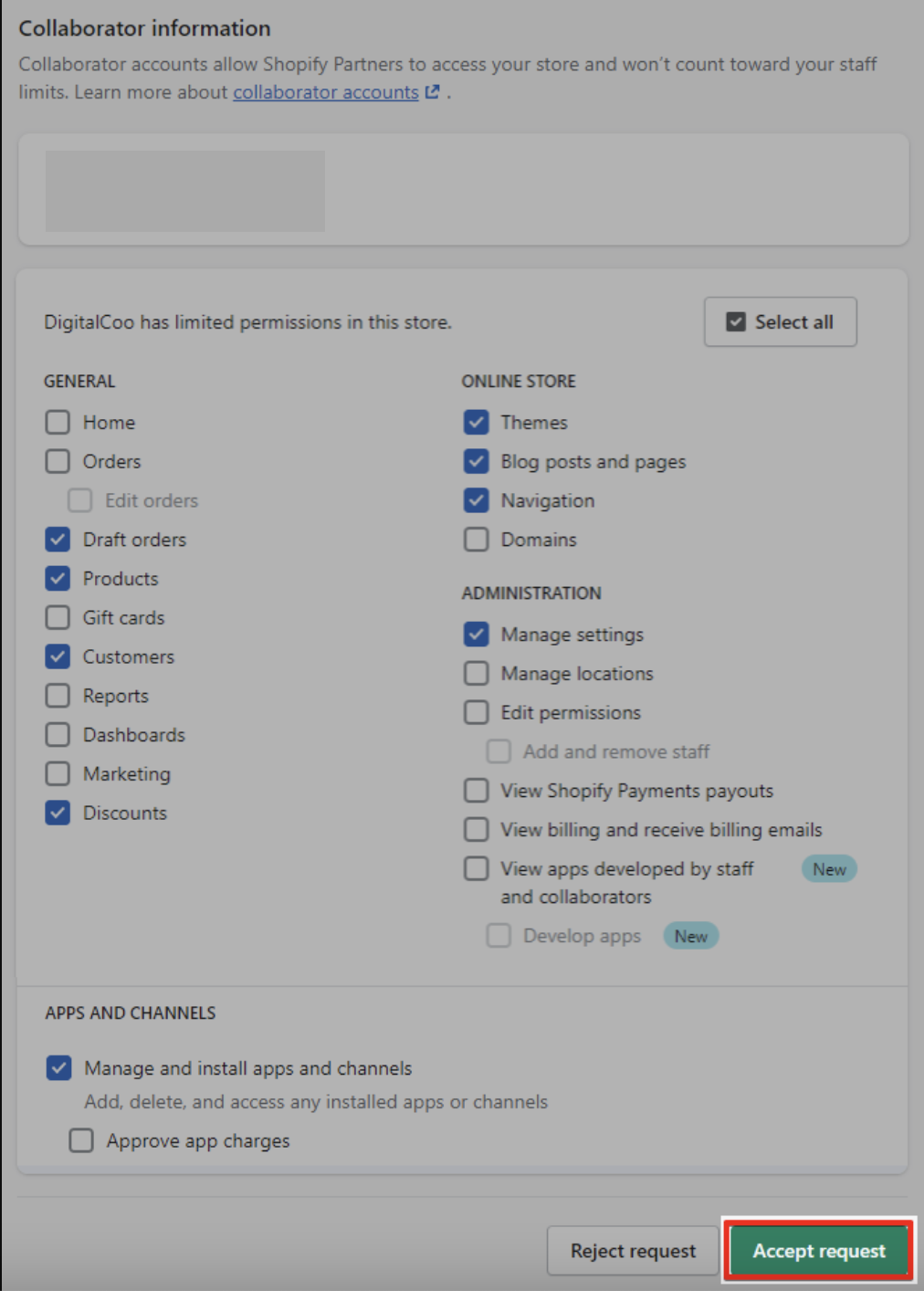
Shopify- Accepting Collaborator Request
Last updated: June 2, 2026
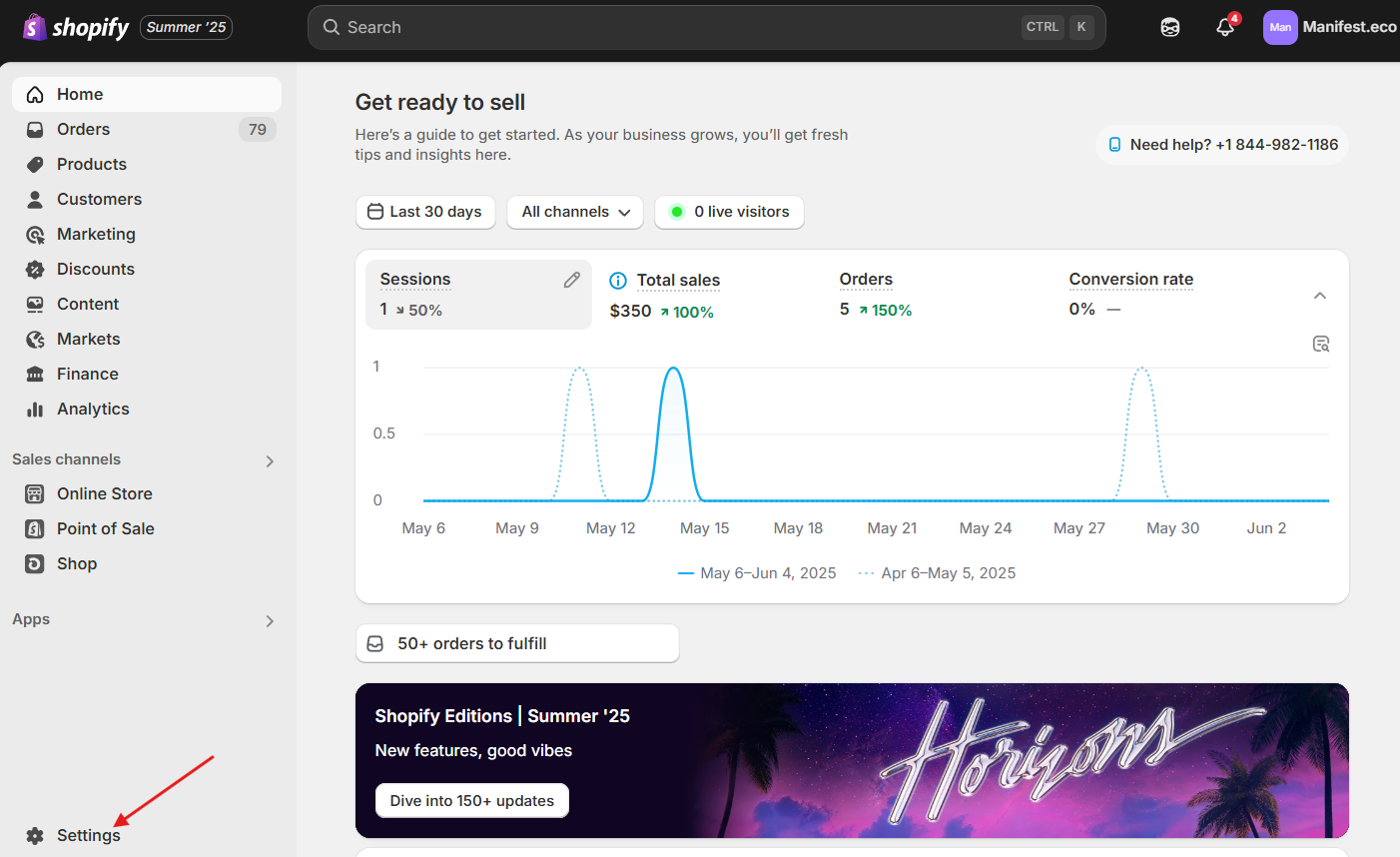
- In your Shopify go to Settings
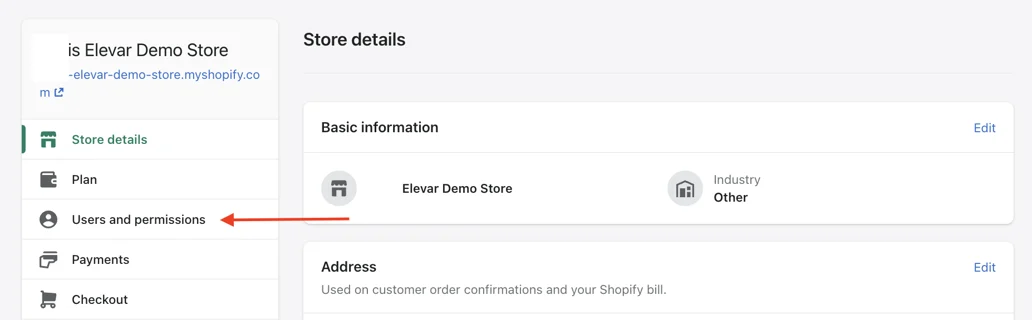
- Select User and Permission
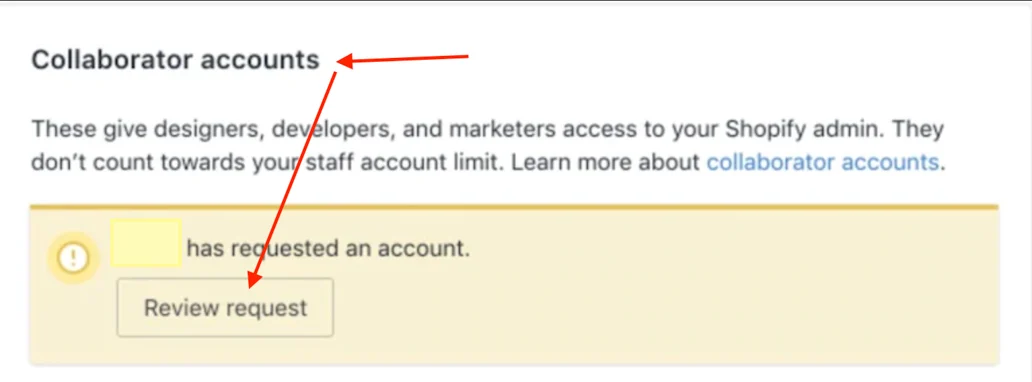
- Review the pending Request by navigate to the section of the page titled "Collaborator Accounts", here you should see a new request pending from Manifest
- Locate and click on the "Review request" button.
- Click Accept Request and Manifest will now have access to your Shopify