Barcoding Your Products
Last updated: July 24, 2026
Proper barcoding ensures accurate scanning and seamless fulfillment. Below are Manifest’s barcode requirements and guidelines:
📦 Barcodes Overview
Every sellable unit sent to Manifest must include a scannable barcode. If a unit arrives without a barcode, with an unreadable barcode, or with multiple conflicting barcodes, it may be delayed or moved to the Unidentified Receiving Order (URO) process. Once a barcode is assigned to a product in ShipHero, it cannot be changed.
- Print in **black ink** on **white, non-reflective labels**
- Use **clear and undamaged** barcodes
- Once assigned, a product’s barcode **cannot be changed**
Supported formats:
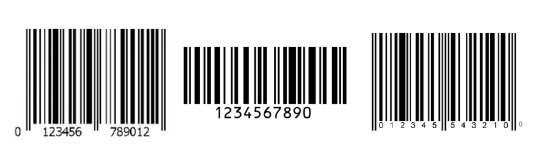
- Shopping Cart Barcode: Custom alphanumeric code (up to 20 chars), in Code 128 format.
-
Manufacturer Barcode: Standard formats such as UPC (GTIN‑12), EAN (GTIN‑13), ISBN, or GTIN‑14.
📍 Barcode Placement
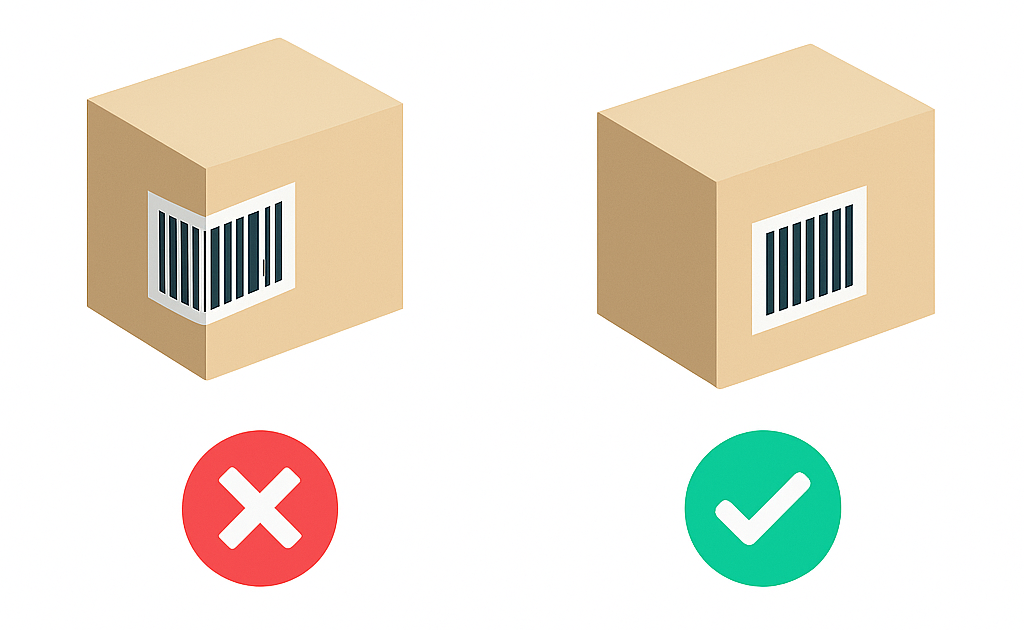
To prevent scan errors:
- Cover or remove any alternate barcodes not in Manifest’s system
- Affix the barcode on a flat, smooth surface—avoid folds or edges
📏 Barcode Size Requirements
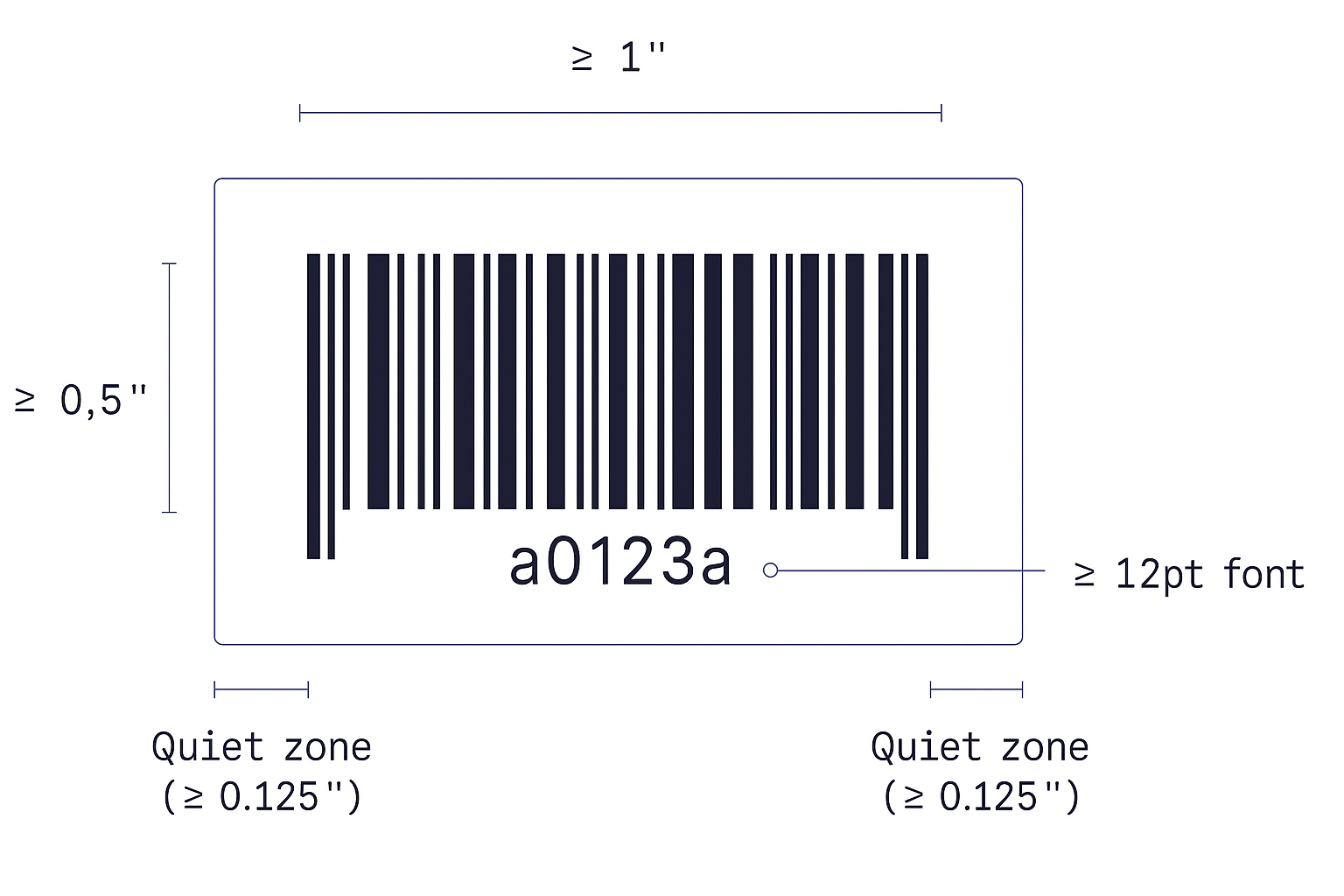
These requirements apply to all barcode formats accepted by Manifest, including Code 128, UPC, EAN, and GTIN-14
- Minimum **barcode symbol size**: 0.3″ width
- Scalable to **80 % smaller or 200 % larger**, while maintaining scannability
- Symbol dimensions: at least 1″ width × 0.5″ height
- Include a **quiet zone** (blank margin) ≥ 0.125″ on each side
- Human-readable text below barcode → **12 pt font**
Need Help?
If you're unsure whether your barcodes meet Manifest's requirements, we recommend reaching out before you ship your inventory to us. Contact our account managers for a barcode review.
For full packaging requirements that apply to all inbound inventory, see Product Packaging Requirements. For receiving requirements and non-compliance fees that apply when your shipment arrives, see Inbound Receiving Requirements and Non-Compliance Fees.