Add Manifest Location to All Products in Shopify
Last updated: June 2, 2026
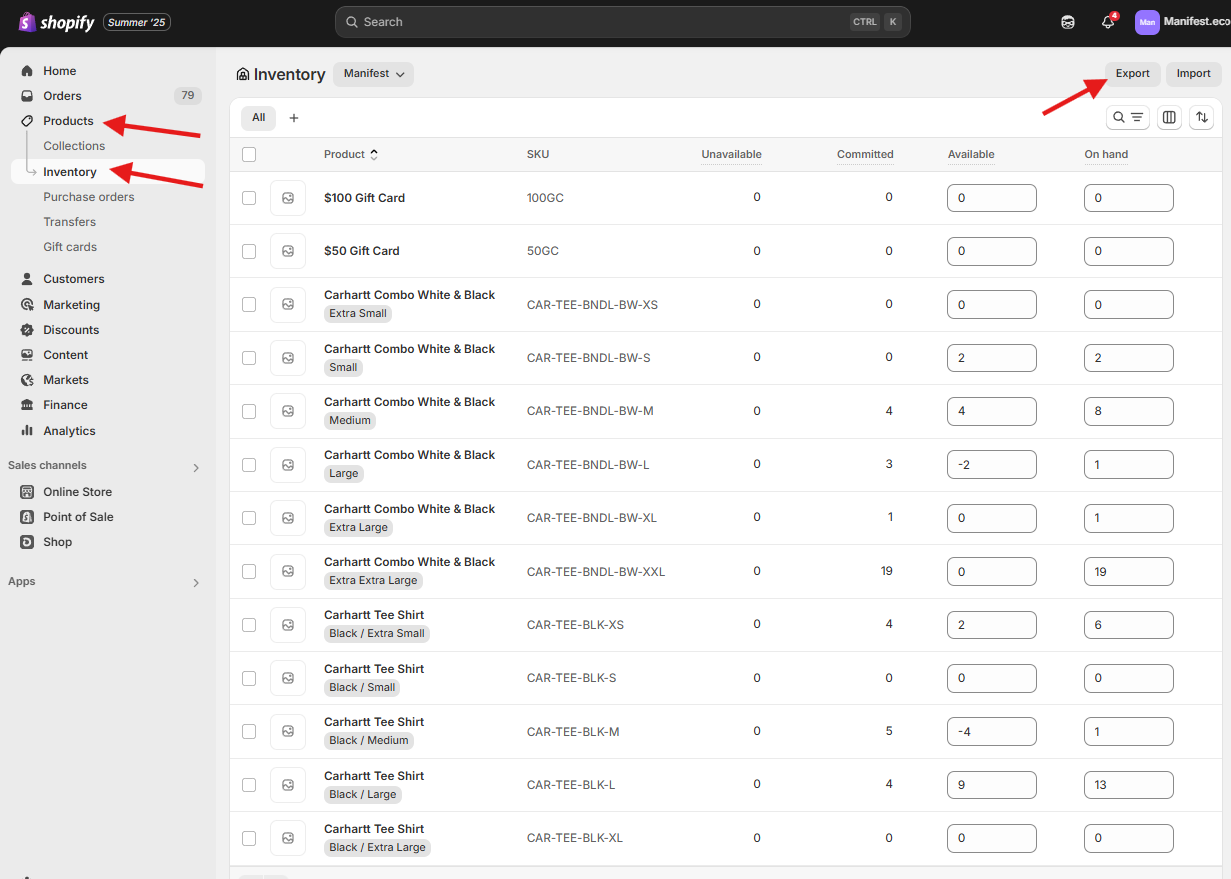
- On the Merchant's Shopify, you will go to Products > Inventory and then select Export
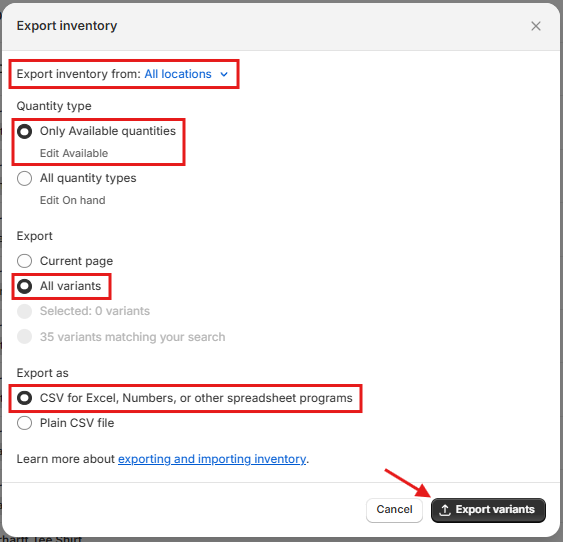
- On the Export Inventory page, make sure the following selections are made and then select Export Variants
- A confirmation as to where the export will be sent will be shown at the bottom of the page

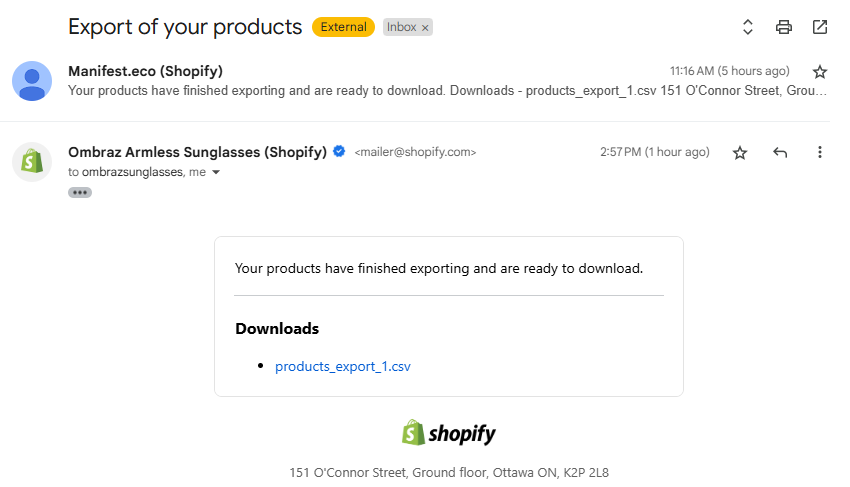
- An email with the export will come through like the one below where you can download the file
- With the file open in Excel, you will delete any columns for locations you will not be updated
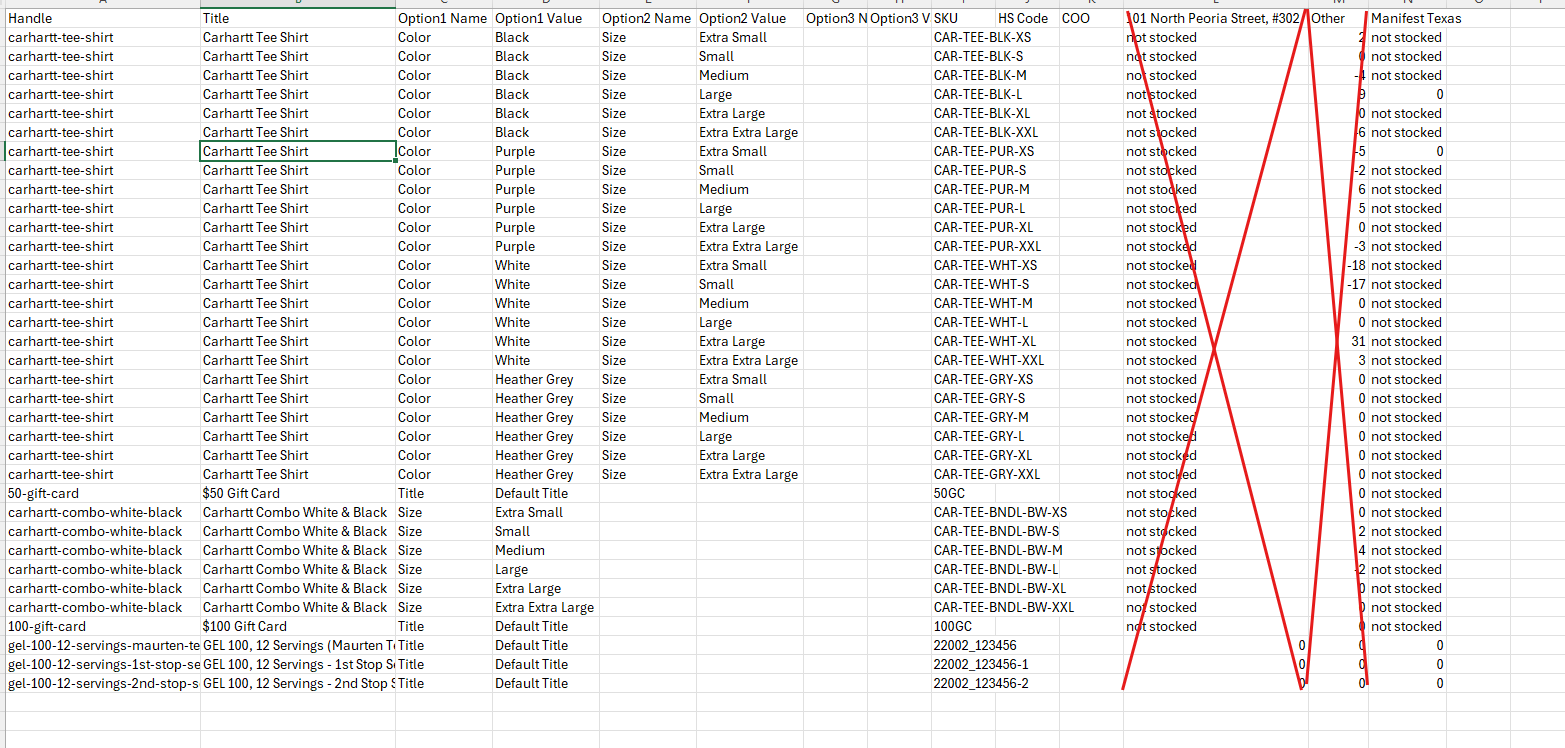
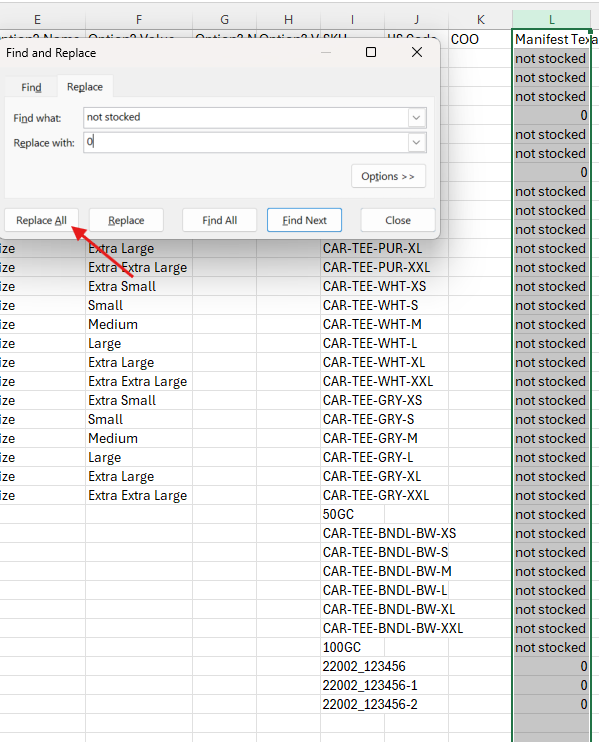
- Then you will Find & Replace all "not stocked" cells with the value "0". This is the step that will activate the location for the product.
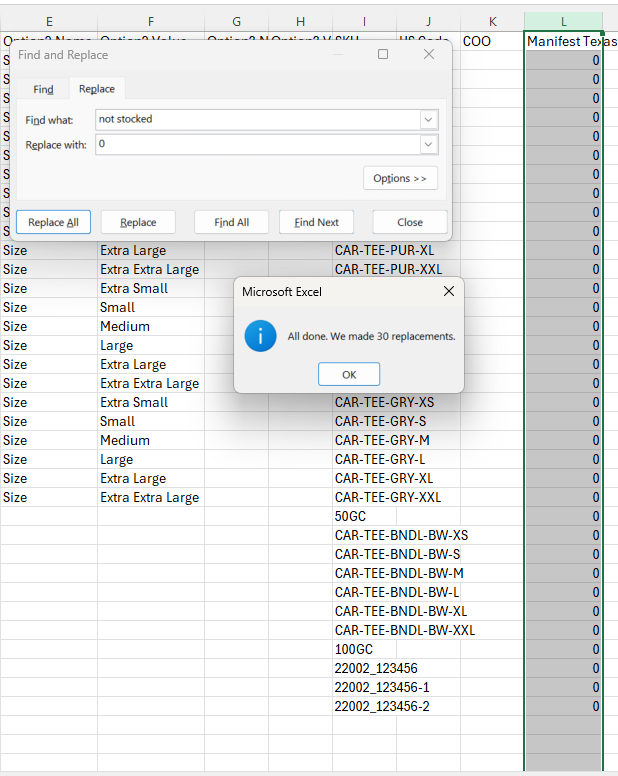
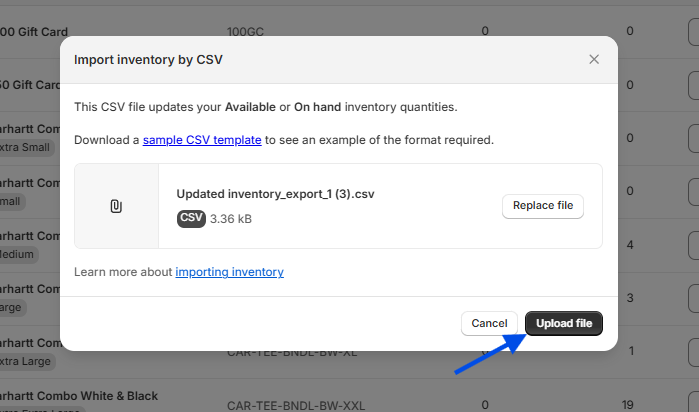
- Once completed, you will save this file as a CSV and import into Shopify by going to Products > Inventory and then select Import. Then select your saved CSV.
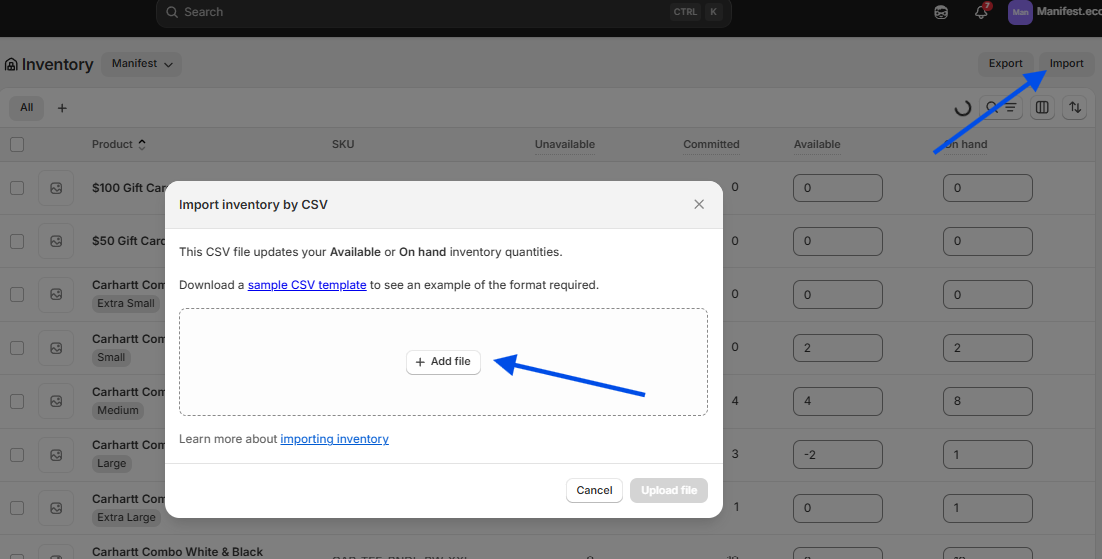
- You will then click Upload file to activate the location for the desired products